Interactive product demo
See the real product.
Click through it yourself.
These are unedited screenshots of a live Dead Simple Email workspace — real inboxes, real messages sent through the pipeline, real API responses. Follow the pulsing dot, or use the arrows.
What the walkthrough covers
-
Workspace dashboard
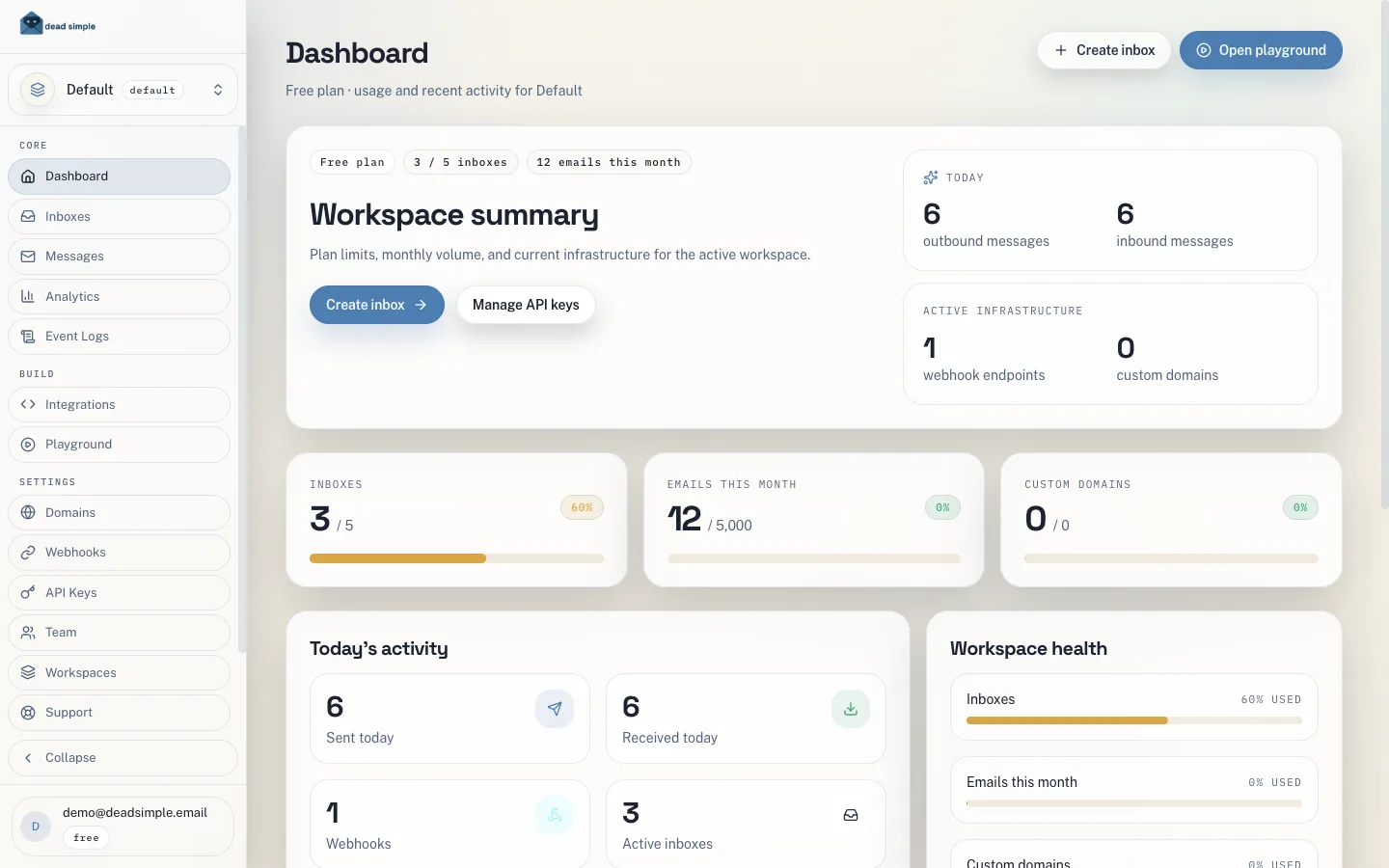
Plan usage, inbox limits, today's inbound and outbound traffic, and workspace health in one view. This demo workspace runs on the Free plan — 5 inboxes and 5,000 emails a month, no credit card.
-
Inbox inventory
Every AI agent gets a real email address, not a Gmail workaround. Search by name, domain, or tag, and copy inbox identities straight into your agent's config.
-
Create an inbox
Pick an address, set a sender display name, add tags for grouping by customer or environment — or switch to Bulk and queue up to 100 inboxes at once. The same operation is one
POST /v1/inboxescall. -
Unified message stream
Inbound and outbound mail from every inbox in the workspace lands in one stream, filterable by inbox, direction, sender, and full-text search — with spam scoring and prompt-injection screening on every inbound message.
-
Threaded replies
Open any message to read the full body with automatic threading. Your agent receives exactly the same data as structured JSON, via webhook or polling — no MIME parsing required.
-
API playground
Send authenticated requests against the live API without leaving the dashboard. Responses render exactly as the API returns them, which makes payload and error debugging fast.
-
Webhook endpoints
Subscribe to
message.received,message.sent, delivery, bounce, and engagement events. Every payload is signed with a per-endpoint secret, and webhooks are included on every plan — including Free. -
API key management
Create a scoped key per environment or agent so you can rotate access without touching every integration. Keys are shown once at creation and masked everywhere after.
-
Analytics
Sent versus received volume, monthly plan consumption, and per-day traffic across the whole workspace — so you can tell how your agents are behaving at a glance.